Enter password to view case study
DATABRICKS • 2025 • AI PRODUCT DESIGN
MY ROLE
Senior UX Designer
PLATFORM
Internal AI tool • Databricks GTM
TOOLS
Figma • Claude • Lovable
STATUS
MVP • Active development
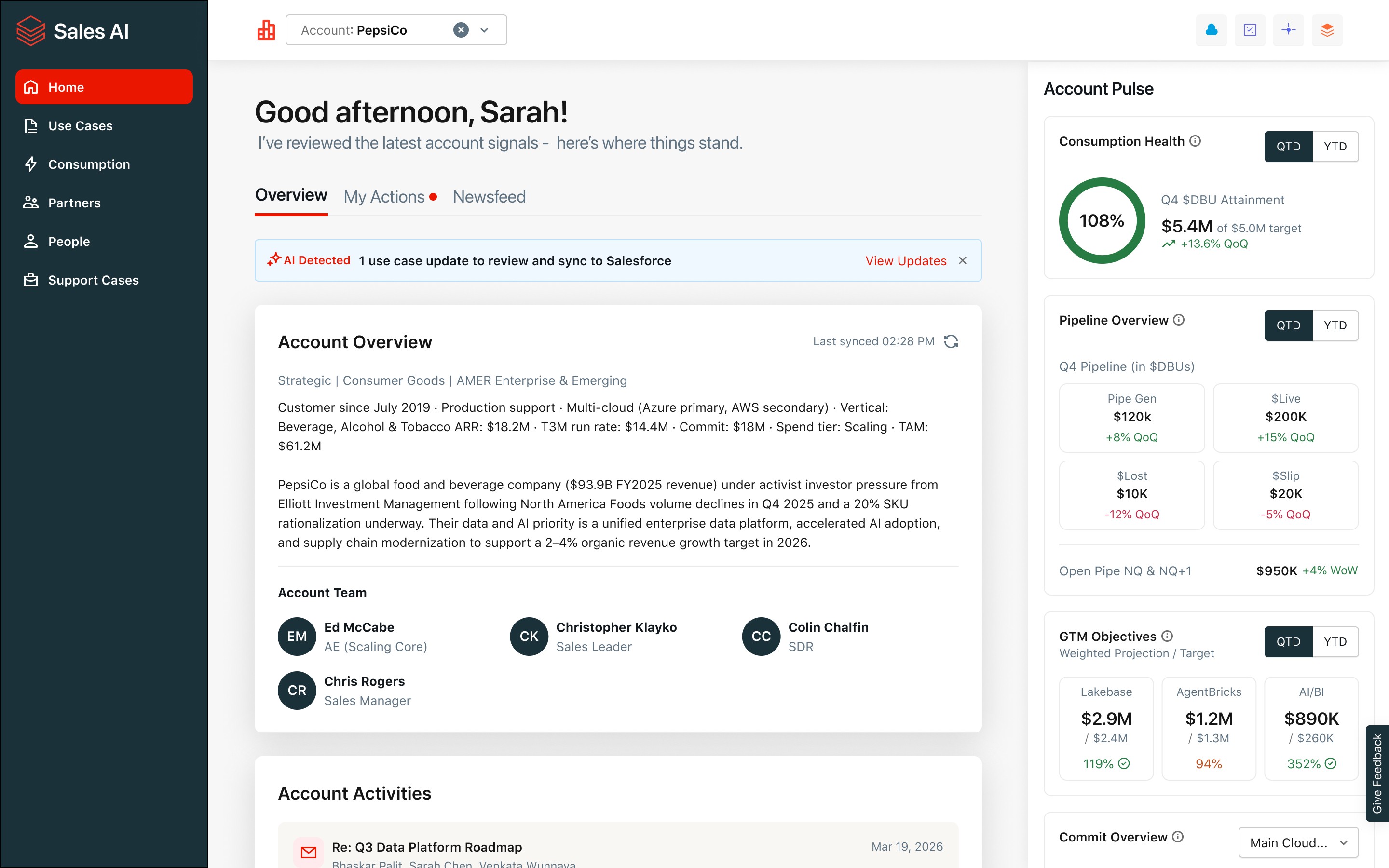
THE PRODUCT
SAI is an AI-powered sales copilot built natively into Databricks' GTM workflow designed to surface what matters, reduce what doesn't, and get sellers back to selling.
THE PROBLEM
Databricks' field sales teams were drowning in administrative work. Not selling.
AEs (Account Executives) and SAs (Solution Architects) were spending 40–60% of their time on tasks manually updating Salesforce from memory after every call, hunting for account context scattered across Slack, email, and Zoom transcripts, and building sales artifacts from scratch for every deal. The tools they had weren't helping. Salesforce required too much manual effort to stay current. Account intelligence lived in silos. Strategic opportunities across hundreds of accounts went unreviewed.
Of seller time lost
AE's and SA's on research and admin - not customers
Field reps in scope
AE's and SA's as primary users across AMER, EMEA, APAC
Per strategic deal
Lost to artifact creation - POC docs, emails, briefs
MY APPROACH
I designed SAI to automate the research and reconstruction work sellers were doing manually, surfacing AI-generated actions, insights, and recommendations directly in their workflow so they could act in seconds instead of hours.
Sellers were spending hours every week reconstructing what happened on their accounts just to update Salesforce
I designed the review-and-commit experience for the Use Case Update Agent, where AI-generated Salesforce updates are presented alongside the exact source evidence that informed them. Sellers can quickly validate, edit if needed, and commit updates in under 60 seconds. The core design challenge was building enough trust and reducing enough friction that updating CRM records became easier than ignoring them, keeping pipeline data current within hours instead of days and giving leadership an accurate, real-time view of the business.
Sellers distrusted AI recommendations they couldn't immediately verify
I designed two core trust mechanisms across the product: a consistent “AI Detected” badge on every AI-generated surface and a AI Reasoning panel that showed exactly what triggered each recommendation, whether it came from a Zoom transcript, Slack conversation, or email. Together, these patterns gave sellers the context needed to verify AI outputs before acting, which early testing revealed was critical to driving trust and adoption. Without visible sourcing, sellers dismissed correct recommendations entirely. With it, they engaged, which meant the product only worked if the design made trust feel immediate and effortless.

Sellers spent hours manually prepping for every customer meeting
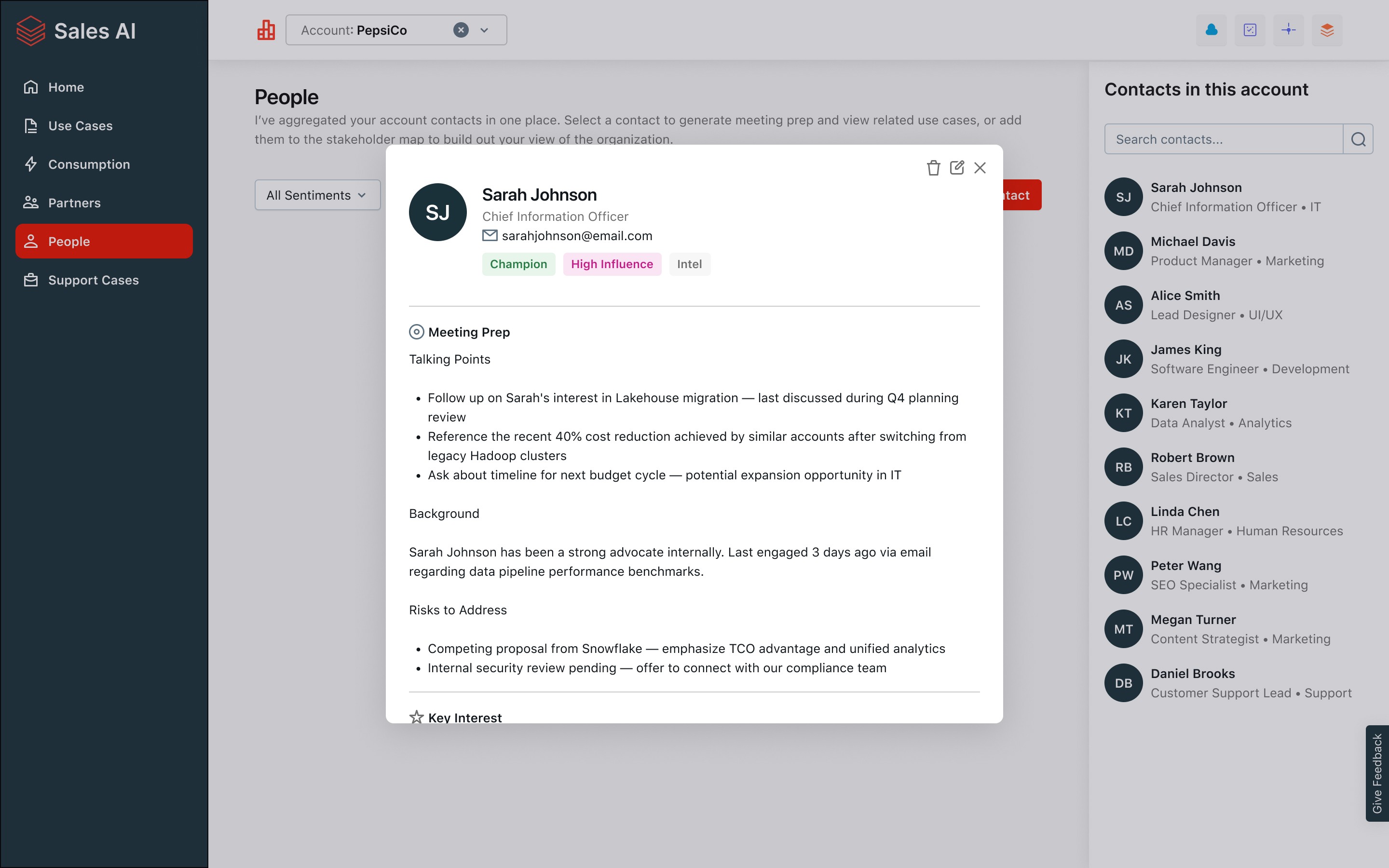
ADDITIONAL SCREENS
Bringing existing Salesforce data into a more usable surface
Not every screen solved a new problem. Some of the most valuable work came from taking data that already existed in Salesforce and other systems and presenting it in a way sellers could actually act on, with AI-generated insights layered on top. The key win was consolidation: instead of switching between Salesforce and other tools, sellers could access and act on this information directly within SAI.

Active Use Cases
Provides a consolidated view of use cases across different stages, with status indicators that help sellers quickly identify which accounts require attention and action.

Use Case Details
Details of the use case with AI driven insights and recommended actions. Offers AI insight and suggested action. Enables users to make updates directly within the interface rather than in Salesforce.

Consumption
Provides a breakdown of consumption data that highlights the key drivers of usage while identifying areas of risk and opportunity.

Account Context Setup
Designed the ability for sellers to attach Drive folder links directly in the account context setup, so agents explicitly include that content in their analysis, not as noise but as curated strategic context."